

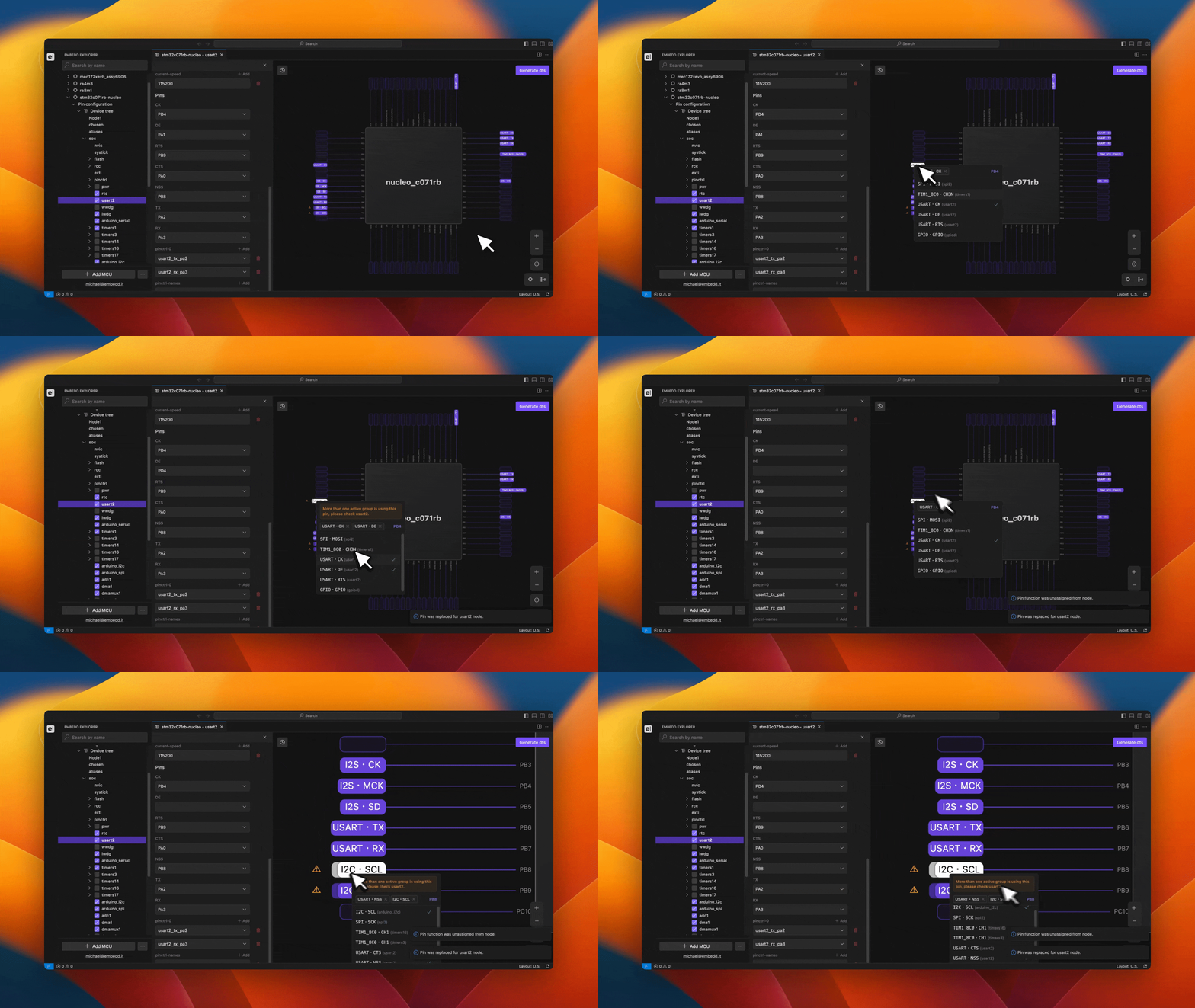
- View all available MCU/MPU pins.
- Inspect the functions associated with each pin.
- Identify functions assigned to pins by default.
- Assign new functions to pins as required.
Viewing Available Functions
To view the list of functions available for a specific pin, select the pin directly in the MCU/MPU schematic. A context menu displaying all supported functions for that pin will appear.Assigning and Unassigning Functions
If a function is already assigned to a pin, it must be unassigned before a new function can be applied. Attempting to assign a second function without removing the existing one will result in an error message, and the change will not be applied or considered in subsequent MCU/MPU operations. A function can be unassigned in one of the following ways:- Click the function name again in the pin’s context menu.
- Click the cross icon next to the function name at the top of the pin’s context menu.