

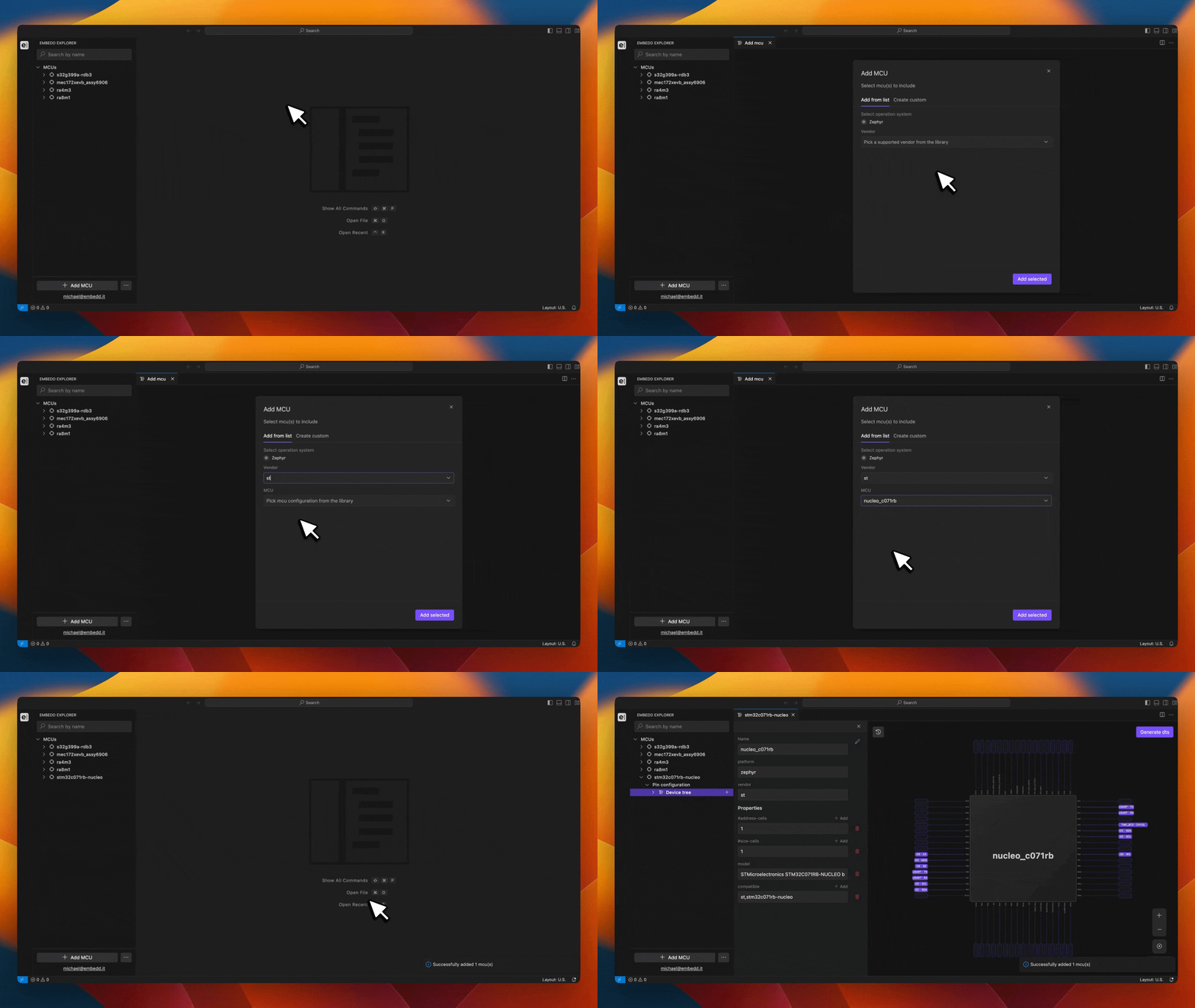
- Click [ + Add MCU/MPU ].
- Select the target platform.
- Choose the MCU/MPU vendor.
- Select the desired target board.
- Click [ Add selected ] to confirm.
Currently, the platform supports MCU/MPU models for Zephyr target. The target can be selected in the Add MCU/MPU dialog, where the user can also specify the vendor and choose the target board of interest. Public support for Linux will be soon released.