

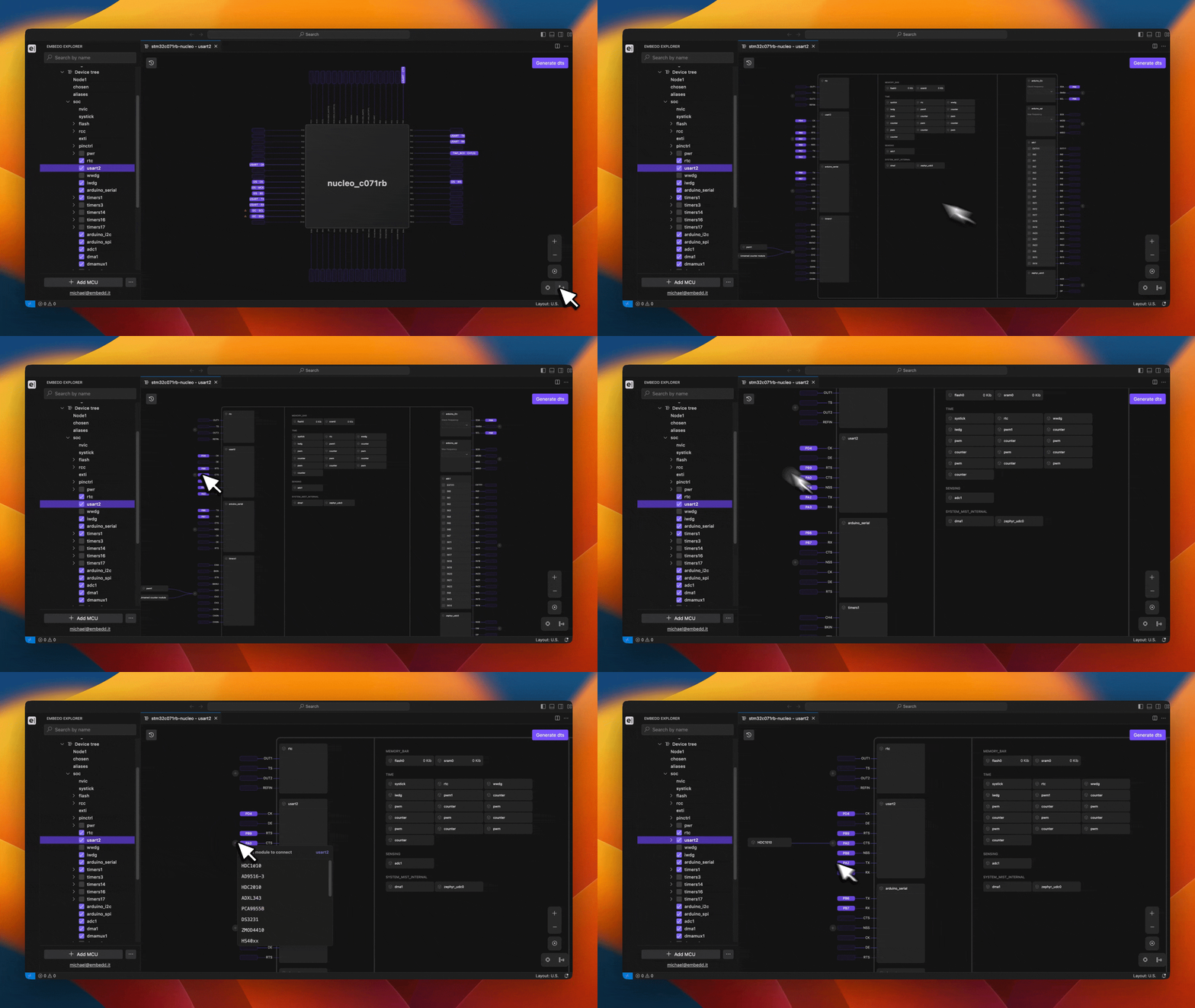
- Peripheral modules with physical pinouts
These modules (for example UART, SPI, I²C, ADC) are displayed at the edges of the view. They expose their available signals and pin functions, allowing users to connect them to external devices and assign physical pins. - Internal MCU/MPU modules
Core system components such as timers, memory blocks, internal clocks, DMA, and watchdogs are shown centrally. These modules do not have direct pin connections but interact with other peripherals and system resources. - Logical connections and nodes
Connections between modules visually represent enabled interfaces, active signals, and configured relationships. This allows users to quickly understand how peripherals, internal resources, and external devices are linked.
- Which modules are enabled or disabled
- Which peripherals are actively using MCU/MPU resources
- How external devices are connected to pin-based modules
- Which pin functions are currently assigned and in use
- Potential conflicts or unused capabilities within the configuration