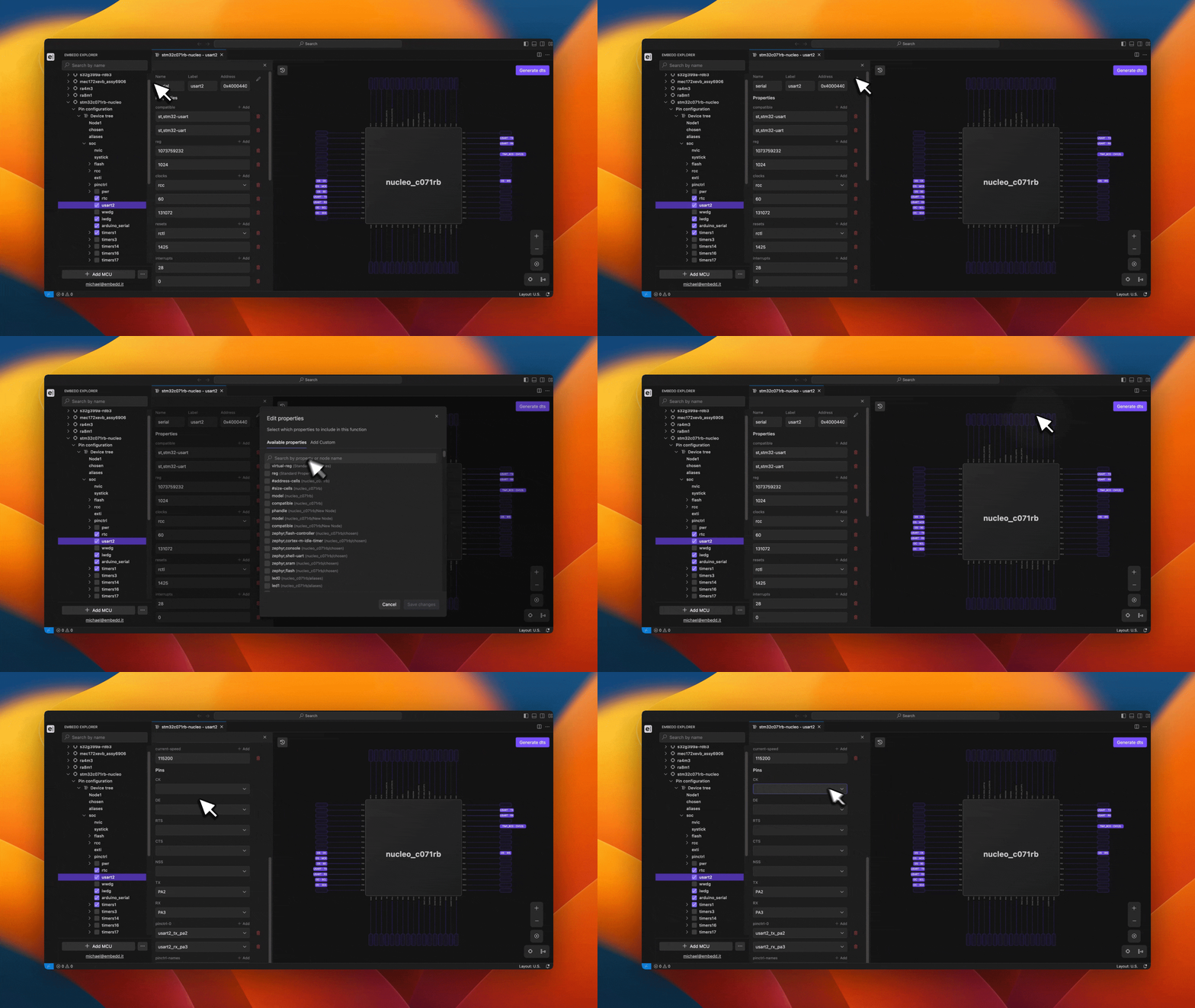
The Properties Panel is opened by selecting the desired node in the sidebar. It displays the core node attributes—name, label, and address—which can be edited, as well as the node’s direct properties.The Properties Panel enables efficient management of node configuration and allows users to:
Edit existing properties.
Add properties from the list of predefined properties.
Create custom properties and assign them to nodes.
Remove properties from a node.
For certain nodes with an okay status, the Properties Panel also includes a Pins section. This section allows users to assign specific functions to MCU/MPU pins. Any pin assignment is immediately reflected in the MCU/MPU schematic, providing real-time visual feedback.Properties can be edited by clicking the pencil icon and selecting either the Available Properties or Custom Properties tab.The Available Properties tab contains standard properties. Additionally, users can search for properties by name using the search field.When creating a custom property, the user must specify the property name and select the property type from the available list.